
# Lively Wallpaper vs. Wallpaper Engine: Features, How to Use, System Requirements, and Price
Animated wallpapers are an excellent way to transform an ordinary Windows desktop into a beautiful and personalized workspace. Instead of displaying a static image, live wallpaper software allows users to enjoy moving backgrounds, interactive animations, video wallpapers, and impressive visual effects.
Two popular applications for this purpose are Lively Wallpaper and Wallpaper Engine. Both offer a variety of customization options, but they differ in pricing, wallpaper libraries, and some of their advanced features.
In this guide, we will explore both programs, explain how to use them, review their hardware and operating system requirements, and compare their prices to help you choose the best option for your PC.
1. Lively Wallpaper
Lively Wallpaper is a free, open-source application designed to bring animated backgrounds to Windows desktops. It supports video wallpapers, animated images, web-based backgrounds, and interactive visual content.
One of its biggest advantages is that users can enjoy animated wallpapers without purchasing a license or paying a subscription fee. It is also designed to pause wallpaper playback when demanding applications or fullscreen games are running, helping reduce unnecessary resource usage.
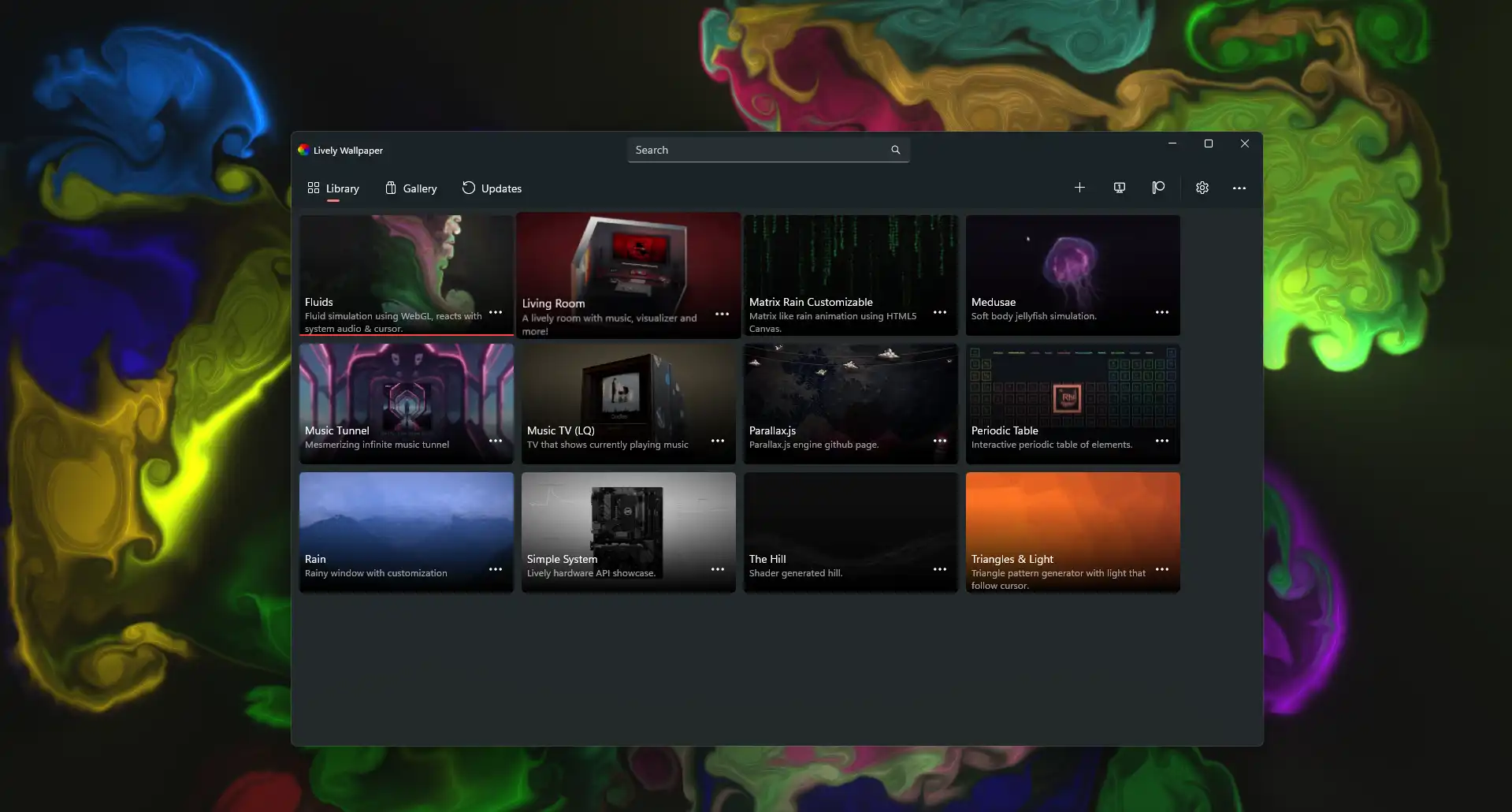
### Main Features of Lively Wallpaper
– **Free and open-source:** All core features are available without a paid subscription.
– **Video wallpapers:** Use supported video files, including MP4 and WebM, as desktop backgrounds.
– **Animated and interactive backgrounds:** Display supported web content, animations, and visual effects.
– **Multiple monitor support:** Configure wallpapers across multiple displays.
– **Performance management:** Automatically pause wallpapers when fullscreen applications or games are running.
– **Custom wallpapers:** Add your own supported media files and customize your desktop appearance.
– **Audio visualizers:** Enjoy supported backgrounds that respond to music and audio.
These features make Lively Wallpaper a good choice for users who want to personalize their desktops while keeping software costs at zero.
### How to Use Lively Wallpaper
Getting started with Lively Wallpaper is straightforward, even for beginners.
1. **Download the application:** Visit the official [Lively Wallpaper GitHub page](GitHub – lively-community) or find the application in the Microsoft Store.
2. **Install the software:** Run the installer and follow the setup instructions.
3. **Open the application:** Browse the available wallpapers in the main interface.
4. **Select a wallpaper:** Click your preferred background to apply it to your desktop.
5. **Add your own video:** Drag and drop a supported video file into the Lively Wallpaper window, then follow the prompts to add it.
6. **Customize the settings:** Adjust available wallpaper options, display settings, and performance behavior.
7. **Enable startup:** If desired, configure the application to launch automatically when Windows starts.
You can also configure different wallpapers for multiple monitors and adjust when animations should pause.
### Lively Wallpaper System Requirements
The following specifications provide a general guide to the hardware needed to run Lively Wallpaper. Actual performance depends on the wallpaper resolution, animation complexity, and number of displays.
| Component | Requirement |
| Operating system | Windows 10 version 1903 or later, or Windows 11 |
| Processor | Intel Core i3 or equivalent |
| RAM | 2 GB minimum in some published specifications; 4 GB or more recommended |
| Graphics | Compatible integrated graphics; a dedicated GPU is recommended for demanding wallpapers |
| DirectX | Version 10 or later, depending on the release |
| Storage | Approximately 1 GB of available space is a useful planning allowance |
For the most accurate compatibility information, check the requirements for the specific version you download.
### Lively Wallpaper Price
Lively Wallpaper is **completely free** and open-source. There is no mandatory purchase, subscription, or paid license required to use its core wallpaper features.
Official download: Lively Wallpaper
2. Wallpaper Engine
Wallpaper Engine is a popular animated wallpaper application available through Steam. It enables users to personalize their Windows desktops with high-quality 2D and 3D animations, video backgrounds, interactive scenes, and web-based wallpapers.
One of its most attractive features is its integration with the Steam Workshop, where users can discover and download a huge collection of community-created wallpapers. The application also includes an editor for users who want to create their own animated backgrounds.
Wallpaper Engine is particularly appealing to gamers, anime fans, and users who enjoy highly detailed visual effects and extensive customization options.
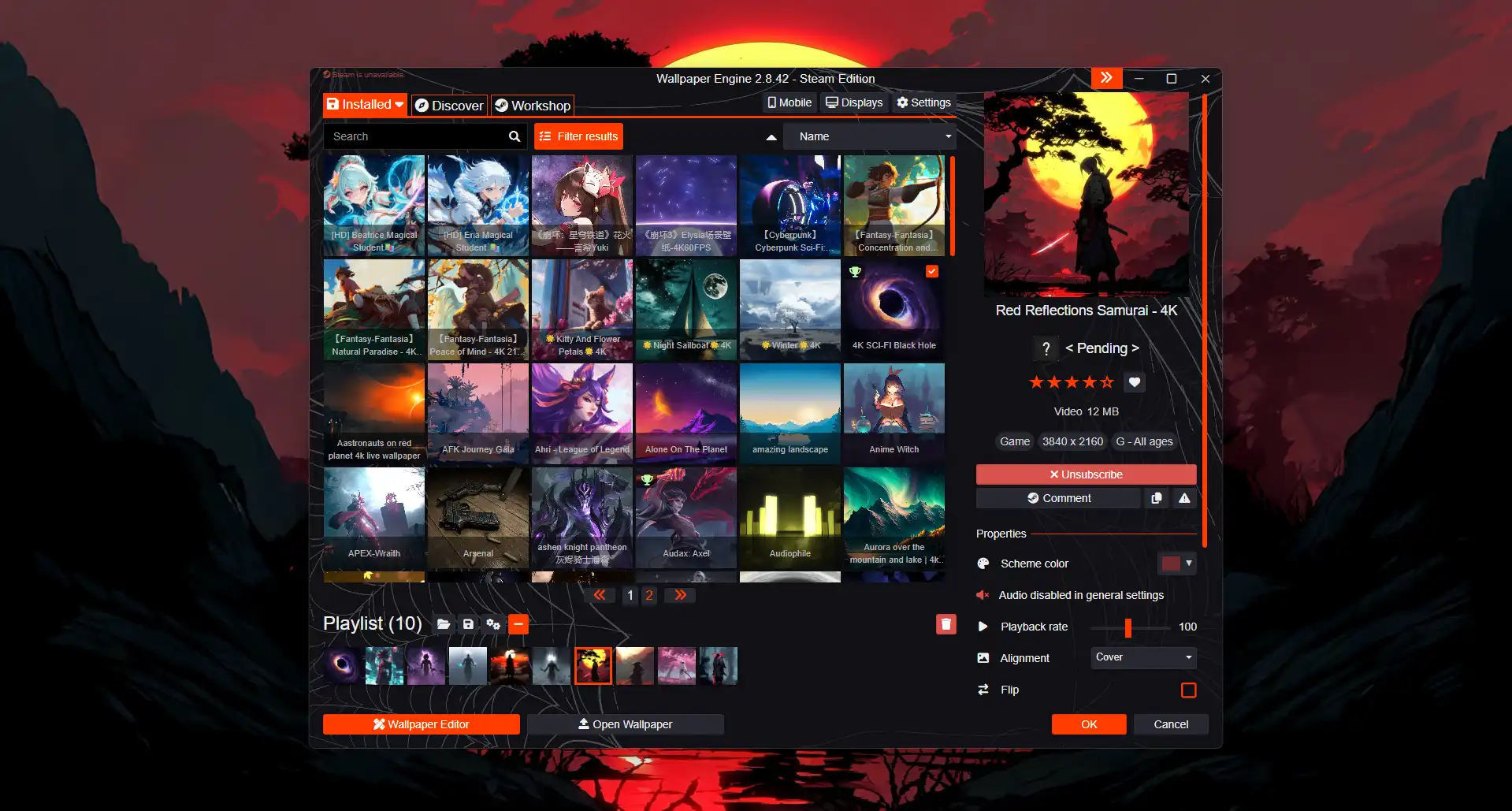
### Main Features of Wallpaper Engine
– **A large wallpaper library:** Browse and download community-created backgrounds through Steam Workshop.
– **High-quality animations:** Choose from 2D scenes, 3D environments, and video-based wallpapers.
– **Interactive wallpapers:** Use supported backgrounds that respond to mouse movements or other interactions.
– **Wallpaper customization:** Adjust available colors, effects, playback settings, and quality options.
– **Multiple monitor support:** Configure backgrounds for different screens and display arrangements.
– **Performance controls:** Pause or stop wallpaper playback when games or other applications are running.
– **Wallpaper Editor:** Create your own animated backgrounds from images, videos, and supported web content.
– **Android companion app:** Transfer compatible wallpapers from your PC to a supported Android phone or tablet using the free companion app.
Wallpaper Engine offers a particularly extensive range of customization options for users who want more control over their desktop’s appearance.
### How to Use Wallpaper Engine
Follow these steps to install and start using Wallpaper Engine.
1. **Purchase the application:** Open the [official Wallpaper Engine Steam page](Wallpaper Engine on Steam).
2. **Install the software:** Purchase and install Wallpaper Engine through the Steam client.
3. **Launch the application:** Open Wallpaper Engine from Steam.
4. **Browse wallpapers:** Explore the available backgrounds and use the Steam Workshop to discover additional community-created designs.
5. **Select a wallpaper:** Click a wallpaper to preview it and apply it to your desktop.
6. **Customize the appearance:** Adjust the available settings for animation quality, playback, colors, and other supported effects.
7. **Configure performance settings:** Set the wallpaper to pause or stop when fullscreen games or other demanding applications are running.
8. **Create your own wallpaper:** Open the built-in editor to experiment with supported images, videos, and interactive content.
You can also configure the application to start with Windows and customize how wallpapers behave across multiple monitors.
### Wallpaper Engine System Requirements
Wallpaper Engine has relatively modest minimum requirements for basic use, although more demanding animated scenes may need stronger hardware.
| Component | Minimum requirement | Recommended requirement |
| Component | Minimum requirement | Recommended requirement |
| Operating system | Windows 10 or Windows 11 | Windows 10 or Windows 11 |
| Processor | Intel Core i5 at 1.66 GHz or equivalent | Intel Core i7 at 2.0 GHz or equivalent |
| RAM | 1 GB | 2 GB |
| Graphics | Intel HD Graphics 4000 or equivalent | NVIDIA GeForce GTX 660 or AMD HD 7870, with 2 GB VRAM |
| DirectX | Version 11 | Version 11 |
| Storage | 512 MB | 1 GB |
These are the requirements listed on the Steam store page. Downloaded wallpapers may require additional storage space, and complex 3D or interactive scenes can use significantly more CPU and GPU resources than simple video wallpapers.
### Wallpaper Engine Price
Wallpaper Engine is a **paid application**. Its standard US Steam price is listed at **$4.99**, although the price can vary by region and may change during sales.
The purchase includes access to the application and its wallpaper features. Many wallpapers in the Steam Workshop are available to download for free after purchasing the program.
Official store: Wallpaper Engine on Steam
3. Lively Wallpaper vs. Wallpaper Engine: Comparison
The following table summarizes the main differences between the two applications.
| Feature | Lively Wallpaper | Wallpaper Engine |
| Price | Free | Paid; standard US price $4.99 |
| Operating system | Windows 10 and Windows 11 | Windows 10 and Windows 11 |
| Open-source | Yes | No |
| Video wallpapers | Yes | No |
| Interactive wallpapers | Yes, for supported content | Yes, for supported content |
| Community wallpaper library | Available through various community sources | Integrated Steam Workshop |
| Built-in wallpaper editor | Customization and supported wallpaper tools | Dedicated wallpaper editor |
| Multiple monitors | Yes | Yes |
| Pause during fullscreen games | Yes | Yes |
| Android companion app | No official equivalent included | Yes, free companion app |
| Best suited for | Users seeking a free and flexible solution | Users seeking a large integrated library and advanced customization |
4. Which Program Is Better?
The best choice depends on your budget, hardware, and personal preferences.
Choose **Lively Wallpaper** if you want a completely free application, prefer open-source software, and mainly use your own video files or supported interactive backgrounds. It is an excellent starting point for users who want an animated desktop without spending money.
Choose **Wallpaper Engine** if you want convenient access to a huge community wallpaper library, enjoy detailed animated scenes, or want to create more advanced wallpapers using a dedicated editor. Its one-time purchase price also makes it an affordable option for many users.
Both programs offer performance settings that can help reduce resource usage while gaming. However, the actual impact on your computer depends on the wallpaper you select, its resolution, the number of monitors you use, and your hardware.
###Conclusion
Lively Wallpaper and Wallpaper Engine are two excellent options for anyone who wants to improve the appearance of a Windows desktop with animated backgrounds.
Lively Wallpaper stands out for being free, open-source, and flexible. Wallpaper Engine stands out for its extensive Steam Workshop library, interactive effects, and dedicated wallpaper creation tools.
If you want a no-cost solution, start with Lively Wallpaper. If you prefer a larger integrated wallpaper ecosystem and more advanced customization options, Wallpaper Engine is well worth considering.
Whichever application you choose, selecting suitable wallpapers and configuring performance settings will help you enjoy a more attractive desktop without unnecessarily affecting your everyday PC experience.